
Earn yield through automated strategies. Vaults put your assets to work. Deposit tokens, and liquidity is managed for you—optimizing positions, rebalancing, and capturing fees. Powered by Kamino.Documentation Index
Fetch the complete documentation index at: https://docs.orca.so/llms.txt
Use this file to discover all available pages before exploring further.
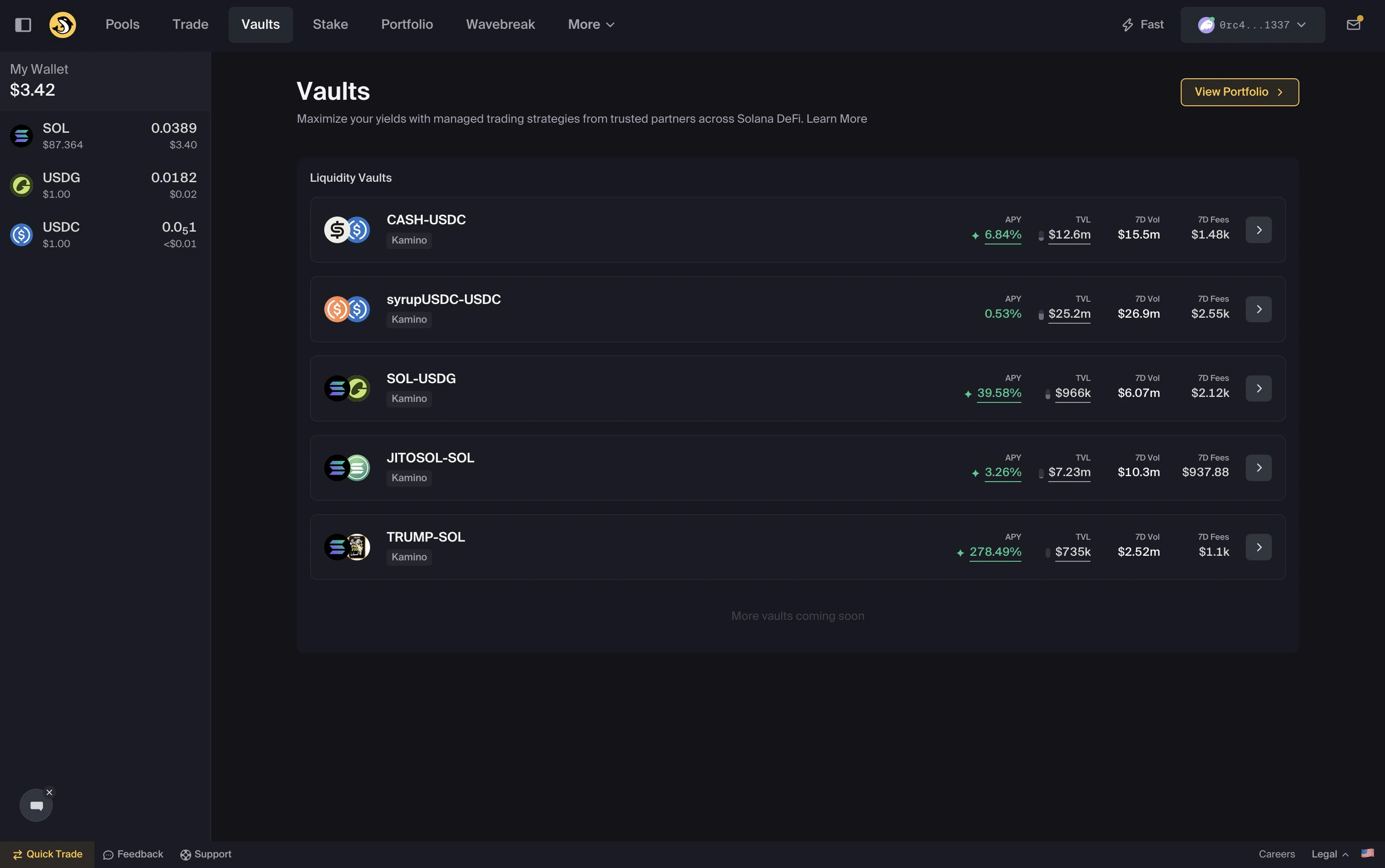
Vaults on Orca
What are Vaults
What are Vaults
Vaults are automated strategies for earning yield. You deposit. The strategy runs. You earn.No rebalancing. No active management.
Why use Vaults?
Why use Vaults?
By targeting high-volume trading ranges, you can earn significantly more from transaction fees than traditional full-range pools.
How it works
How it works
- Choose a Vault
- Deposit tokens (one or both)
- Capital is allocated across positions
- Yield accrues over time
- Withdraw anytime
Autoswap
Autoswap
Vaults support single-token deposits and withdrawals through Autoswap.Autoswap can automatically trade into the required token pair when you deposit, and lets you exit into a single asset when you withdraw.You can also choose which swap aggregator to use.No manual swapping required.Vaults support single-token deposits and withdrawals through Autoswap.
What the Strategy does
Each Vault runs a strategy that:- Allocates liquidity across price ranges
- Rebalances as markets move
- Compounds yield back into the position
- No management required.
What you see on a Vault page
Clicking into a Vault opens its detail page. Four sections matter for evaluation: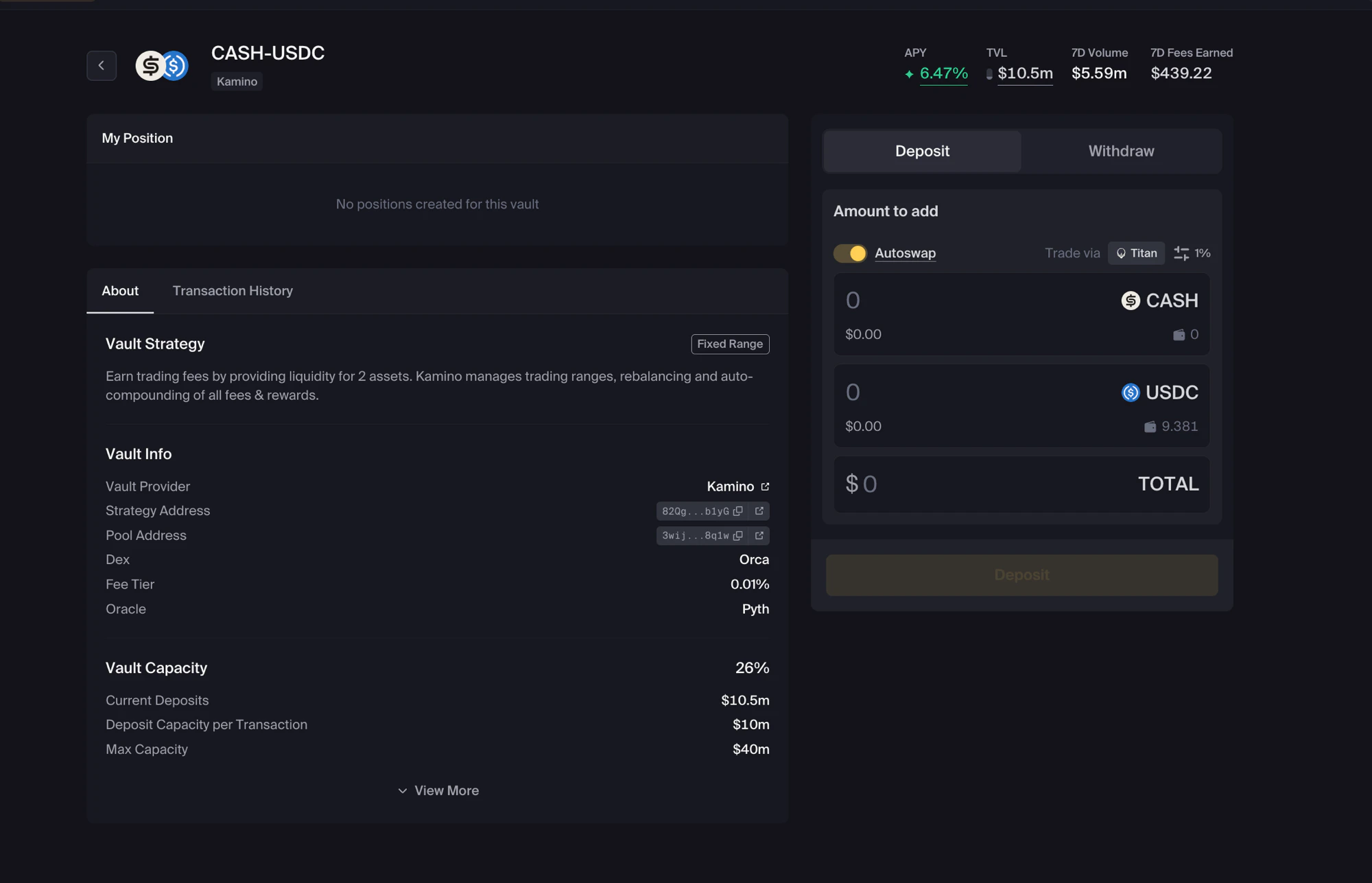
Vault Strategy
A short label at the top describes the strategy type — for example, Fixed Range for vaults that deploy across a stable predetermined range.Vault Info
| Field | Meaning |
|---|---|
| Vault Provider | The strategy operator |
| Strategy Address | On-chain address of the strategy account |
| Pool Address | The Whirlpool the vault deposits into |
| Dex | The DEX powering the underlying pool |
| Fee Tier | The underlying pool’s fee tier |
| Oracle | The price oracle the strategy uses |
Vault Capacity
Vaults have hard ceilings on how much they accept:| Field | Meaning |
|---|---|
| Vault Capacity | Percentage of max capacity currently filled |
| Current Deposits | Total currently deposited |
| Deposit Capacity per Transaction | Maximum single-deposit size |
| Max Capacity | Hard ceiling on total deposits |
My Position and Transaction History
If you’ve deposited, the My Position section shows your share of the vault. The About and Transaction History tabs let you switch between the vault’s strategy details and your own activity.Key Concepts
- APY — Estimated annual yield based on recent performance
- TVL — Total value deposited
- Strategy — Rules that manage allocation and rebalancing
- Capacity — Maximum capital the Vault can accept
Risks
Vaults still involve risk:- Smart contract risk
- Strategy performance may vary
- Market volatility
- Position updates may take ~1–2 minutes after transactions