
Orca now shows realized and unrealized PnL, cost basis, and a complete record of every liquidity action—so you no longer need spreadsheets or third-party tools to understand performance.Documentation Index
Fetch the complete documentation index at: https://docs.orca.so/llms.txt
Use this file to discover all available pages before exploring further.
PnL is available for both active and closed positions.
What’s New
Realized PnL
Profit or loss you’ve locked in
Unrealized PnL
Current profit or loss on your open position
Cost Basis
Capital currently allocated to your position
Position History
A complete record of liquidity actions
PnL in Positions & Portfolio
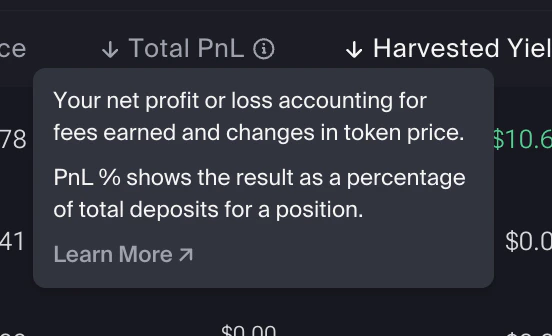
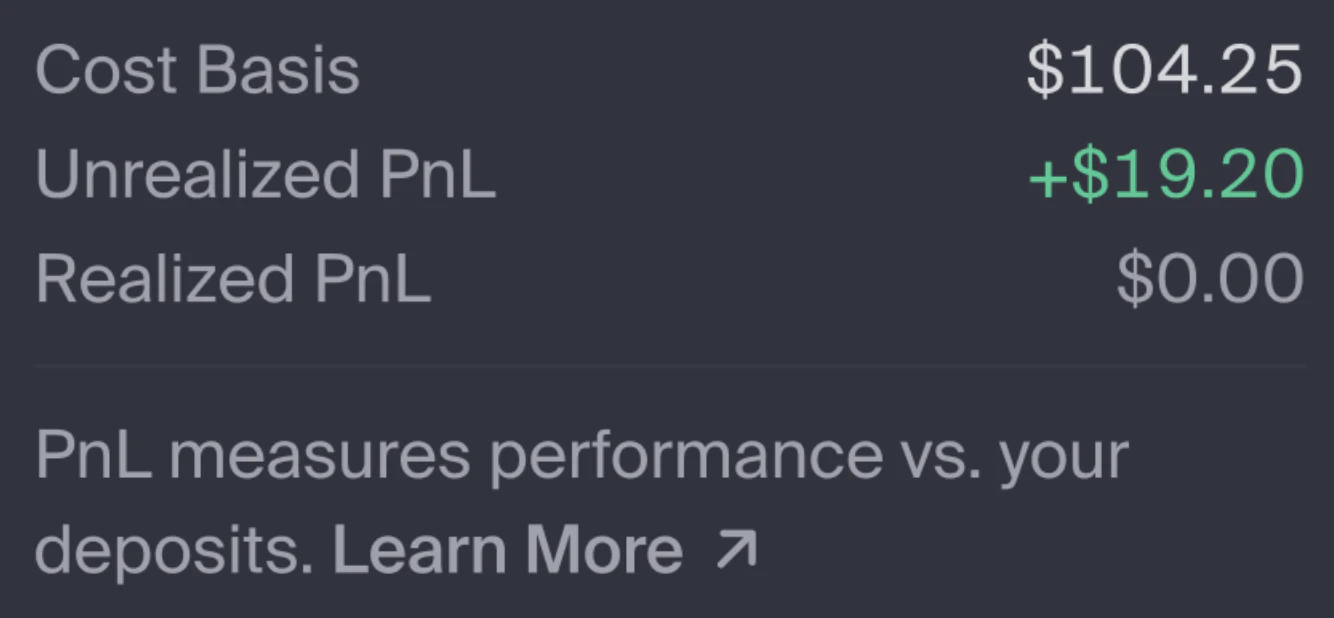
Total PnL for each position is shown in:- Positions (Liquidity Terminal)
- Portfolio
- Cost basis
- Realized PnL
- Unrealized PnL
Closed Positions
The Closed Positions tab shows:- Total PnL
- Harvested yield breakdown
- Position duration
Positions closed before January 2026 will not appear in this tab.
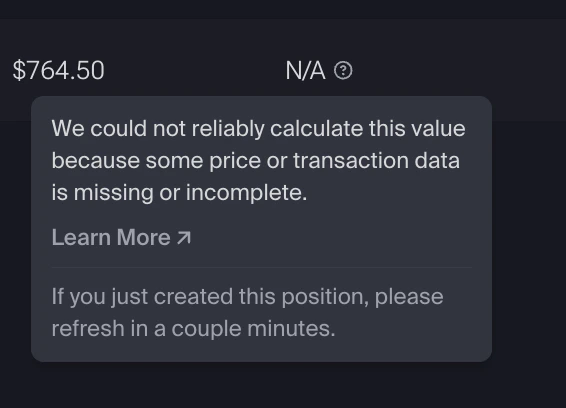
When “N/A” appears
Some positions will show N/A for PnL or duration. This means the required data couldn’t be calculated. The most common reasons:- The position was opened before January 2026. PnL tracking started in January 2026, so older positions don’t have the historical data needed to calculate PnL. This is expected and not an error.
- The position was created or updated very recently — values typically appear within a minute.
- Price data is temporarily unavailable.
Understanding the Metrics
Cost Basis
Cost Basis
Cost basis is the total dollar value of tokens you’ve deposited into a position, recorded at the time of each deposit. It’s used to calculate your position’s profit or loss.
- It increases when you add liquidity.
- It decreases when you withdraw liquidity.
Realized PnL
Realized PnL
Realized PnL is profit or loss that has been locked in. It updates when you:
- Collect fees
- Collect rewards
- Withdraw liquidity
- Close a position
Unrealized PnL
Unrealized PnL
Unrealized PnL is the current profit or loss on assets still inside the position.It changes as token prices move and fees and rewards accrue.
Total PnL
Total PnL
Total PnL = Realized PnL + Unrealized PnL. This is your overall return on the position so far.
Total PnL measures performance relative to what you deposited — not relative to simply holding the tokens.
PnL Percentage
PnL Percentage
PnL% is calculated using your total lifetime deposits into the position.
- If price data is unavailable, N/A will be displayed.
- Closing a position realizes all remaining PnL and resets cost basis to zero.
Position History
Position History is a new tab in the Liquidity Terminal alongside Positions and Position Simulator. It provides a permanent record of liquidity actions tied to your positions.Position History only includes actions from January 2026 onward. Liquidity actions taken before that date won’t appear — this is expected, not an error.
| Field | Description |
|---|---|
| Pool | The pool associated with the action |
| Time of action | When the action occurred |
| Position address | The on-chain position address |
| Transaction signature | The transaction ID on-chain |
| Liquidity action | Open position, Increase liquidity, Decrease liquidity, Collect fees, or Close position |
| Token changes | The tokens added or removed |
Entries do not change once recorded. You can filter by pool and liquidity action. Transactions are shown newest first.
Why This Matters
You can now:- See how your positions are performing
- Separate locked-in gains from current exposure
- Review every liquidity action
- Track your capital over time
Frequently Asked Questions
Why doesn't my PnL match what I expected?
Why doesn't my PnL match what I expected?
PnL reflects price changes, fees earned, and past deposits or withdrawals. Cost basis and realized PnL affect the final numbers.
What's the difference between realized and unrealized PnL?
What's the difference between realized and unrealized PnL?
- Realized PnL is profit or loss already locked in.
- Unrealized PnL reflects the current value of assets still in the position, including uncollected fees and rewards.
Does unrealized PnL include unharvested fees and rewards?
Does unrealized PnL include unharvested fees and rewards?
Yes. Accrued but unharvested fees and rewards are included.
How is PnL % calculated?
How is PnL % calculated?
PnL% is based on your lifetime deposits into a position.Withdrawals do not reduce the denominator. This keeps the percentage consistent over time and avoids distortions when liquidity is removed.
Why are some of my old positions or actions missing?
Why are some of my old positions or actions missing?
Position History and the Closed Positions tab only include data from January 2026 onward. Actions taken before that date won’t appear — they aren’t missing due to an error, they simply predate when tracking began.
Why is "N/A" shown for PnL % or duration?
Why is "N/A" shown for PnL % or duration?
“N/A” appears when the required data isn’t available to calculate a value.This may happen if:
- The position was opened before January 2026. PnL tracking started in January 2026, so older positions don’t have the historical data needed to calculate PnL or duration. This is expected and not an error.
- The position was created or updated very recently — values typically appear within a minute.
- Price data is temporarily unavailable.
Why doesn't my closed position appear immediately?
Why doesn't my closed position appear immediately?
It may take a minute for completed transactions to appear in the Closed Positions tab.
What happens to PnL when I close a position?
What happens to PnL when I close a position?
All remaining PnL becomes realized. Cost basis resets to zero.
Can I export my Position History?
Can I export my Position History?
Not at this time.
Does Position History update over time?
Does Position History update over time?
No. It is a permanent record of past liquidity actions.
Next Steps
Manage Portfolio
View all your positions and performance
Harvest Your Yield
Collect the fees you’ve earned from your positions
Close a Position
Close a position and withdraw all funds
Position Simulator
Visualize how a position could perform before committing