
Remove some or all liquidity from an existing position to reclaim your tokens.Documentation Index
Fetch the complete documentation index at: https://docs.orca.so/llms.txt
Use this file to discover all available pages before exploring further.
How to Withdraw
Open the Position Details sidebar
Navigate to your Portfolio and click on the position you want to withdraw from.See the Position Details Sidebar Guide for a full walkthrough.
Enter withdrawal amount
Choose how much to withdraw: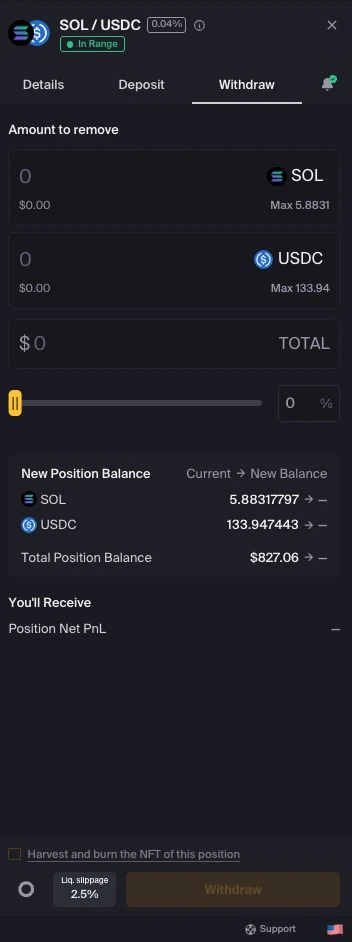
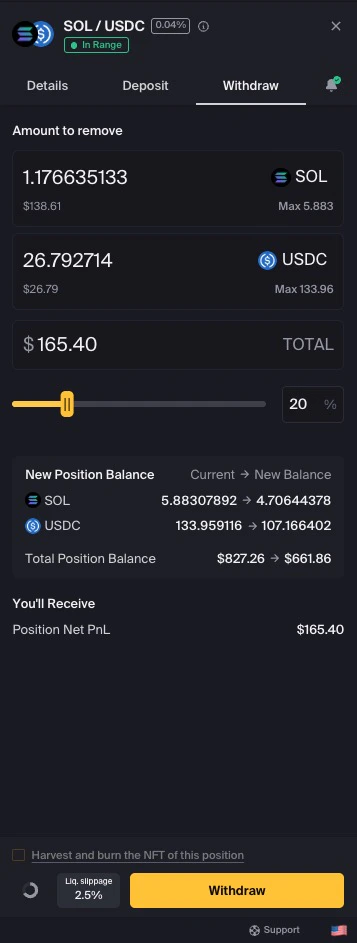
- Enter a specific amount in one of the token fields
- Use the slider to select a percentage of your position
- Click Max to withdraw everything
(Optional) Adjust liquidity slippage
Click the Liq. slippage button to adjust tolerance if needed.See Understanding Slippage for more information.
Complete your withdrawal
Click Withdraw to proceed.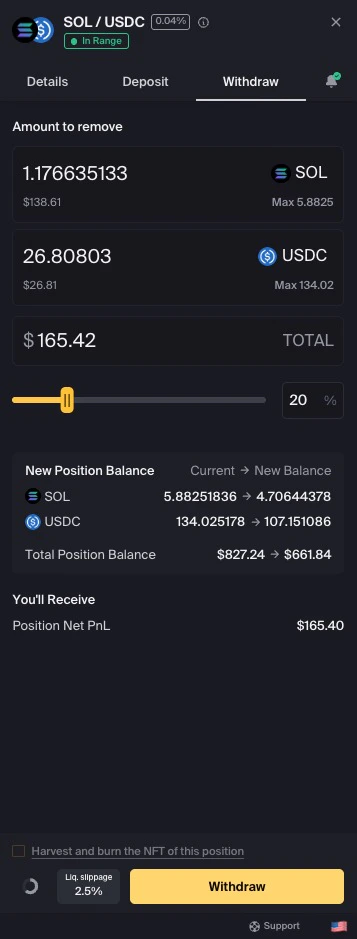
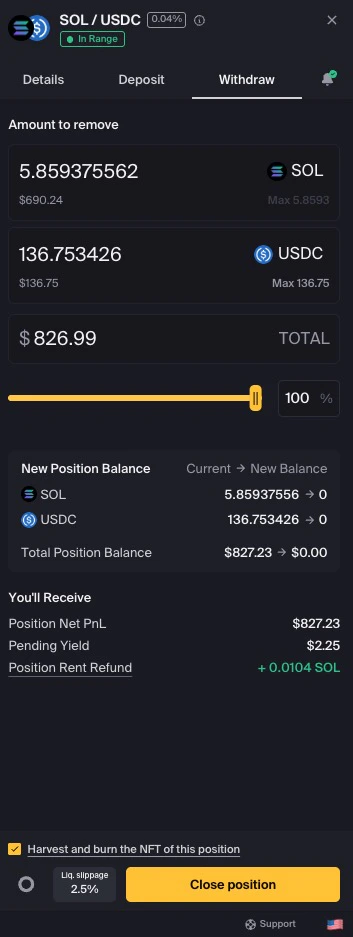
If you’re removing all liquidity, the button changes to Close Position.
(Optional) Keep your position NFT
When closing a position, you can retain the NFT by unchecking “Harvest and burn the NFT of this position.”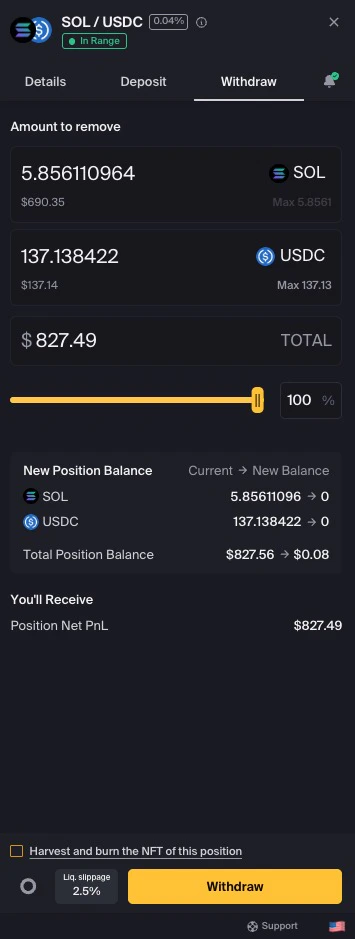
Partial vs Full Withdrawal
Partial Withdrawal
Remove some liquidity while keeping the position active. Good for taking profits or reducing exposure.
Full Withdrawal (Close)
Remove all liquidity and optionally burn the position NFT. Completely exits the position.
What Happens to Your Tokens
When you withdraw:- Tokens return to your wallet immediately after transaction confirms
- Uncollected fees are harvested automatically during withdrawal
- Token ratio depends on current price relative to your range
If your position is out of range, you’ll receive 100% of one token (the one that decreased in value relative to your range).
Next Steps
Manage Portfolio
View all your positions
Close Position
Fully close a position
Add Liquidity
Increase an existing position
Beginner's Guide
Learn the basics of liquidity provision